Turn a question-based tender into a structured, drafted proposal.
The Smart Questions Workflow reads your tender, pulls out the questions, and builds a proposal with a section for each one – so you can get from documents to a first draft quickly. Use it when your tender is built around a set of questions to answer.
Create your project
- Go to Projects and select 'New Project'.
- Choose the Smart Questions Workflow and give your project a name.
Add your tender documents
- Upload the tender and any supporting documents.
- Wait for everything to finish scanning before you move on.
Important: keep the set focused – upload the documents that contain the questions and key requirements, not your whole data room. Large or numerous files take longer and are more likely to time out.
Review the analysis and generate the outline
- Run the analysis to get a summary of key dates, requirements and a compliance checklist.
- Add your win themes.
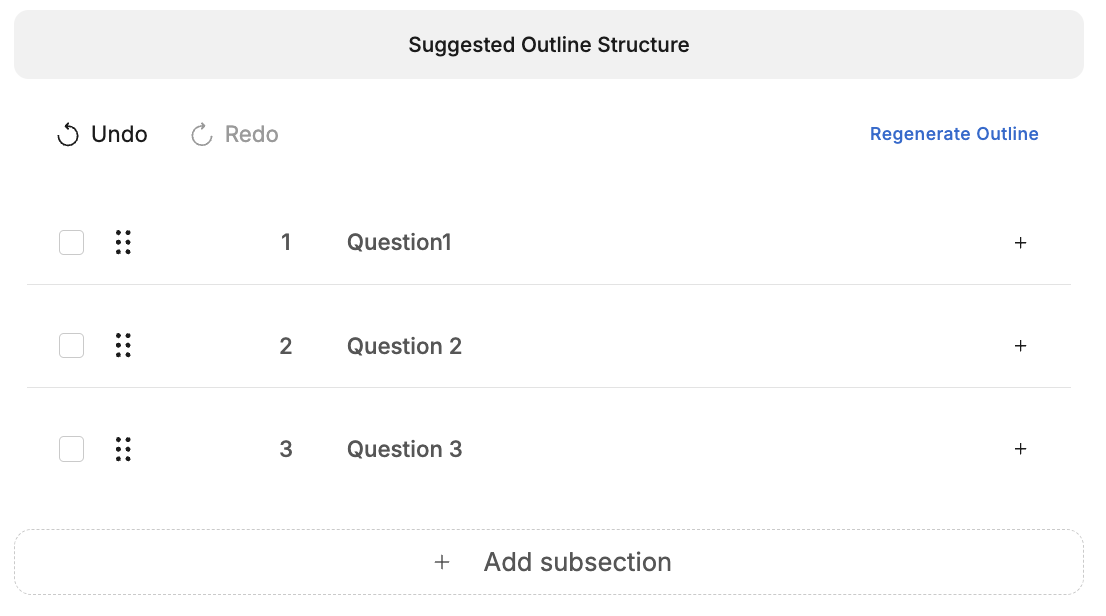
- Select 'Generate suggested outline' – a section is created for each question.
- Check the outline against the tender, and add or reorder sections if you need to.
Build the storyboard and generate a first draft
- Open a section's storyboard and add your writer's instructions. We recommend spending 15-20 minutes working through the storyboard.
- Select 'Generate first draft'. Your draft opens in the Editor, ready to refine and export. This can take 1-5 minutes on average.
Get better results
- If the questions are in tables or a scanned PDF, put them in a clean Word or Excel file (one question per line) for the most accurate results.
- For large tenders, generate your draft section by section.
- Don't use your browser's Back button while something is generating, as it can clear a generated outline.
If something isn't working
- The outline won't generate, or is stuck scanning: wait for scanning to finish, reduce the document set, clear your browser cache and try again.
- Some questions are missing: provide a clean questions file and regenerate, or add the missing questions to the outline by hand.
- 'Generate first draft' fails: try again, and for large tenders generate section by section.
If you need a hand, get in touch with our Support team.