Write, generate and manage your proposal, section by section.
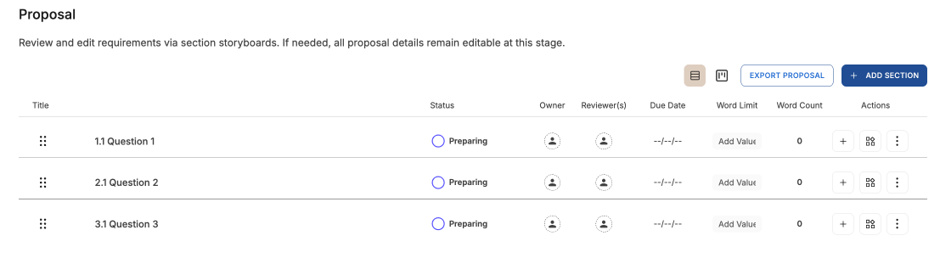
The Proposal / Response tab is where you work through your proposal one section at a time – writing or generating responses, tracking progress, and collaborating with your team.
Work through your sections
- Open the Proposal / Response tab and select a section.
- Generate or write the response.
- Refine it in the Editor.
Track progress and collaborate
- Update each section's status so the team can see what's done and what's left.
- Assign section owners where you're working together.
If something isn't working
- A section is blank or missing content: check the outline and storyboard generated correctly, then regenerate the section.
- You can't edit a section: you may have a Reviewer role or not own the project – ask the owner or an admin.
- Changes aren't saving: refresh the page, and avoid your browser's Back button while editing.
If you need a hand, get in touch with our Support team.